Title here
Summary here
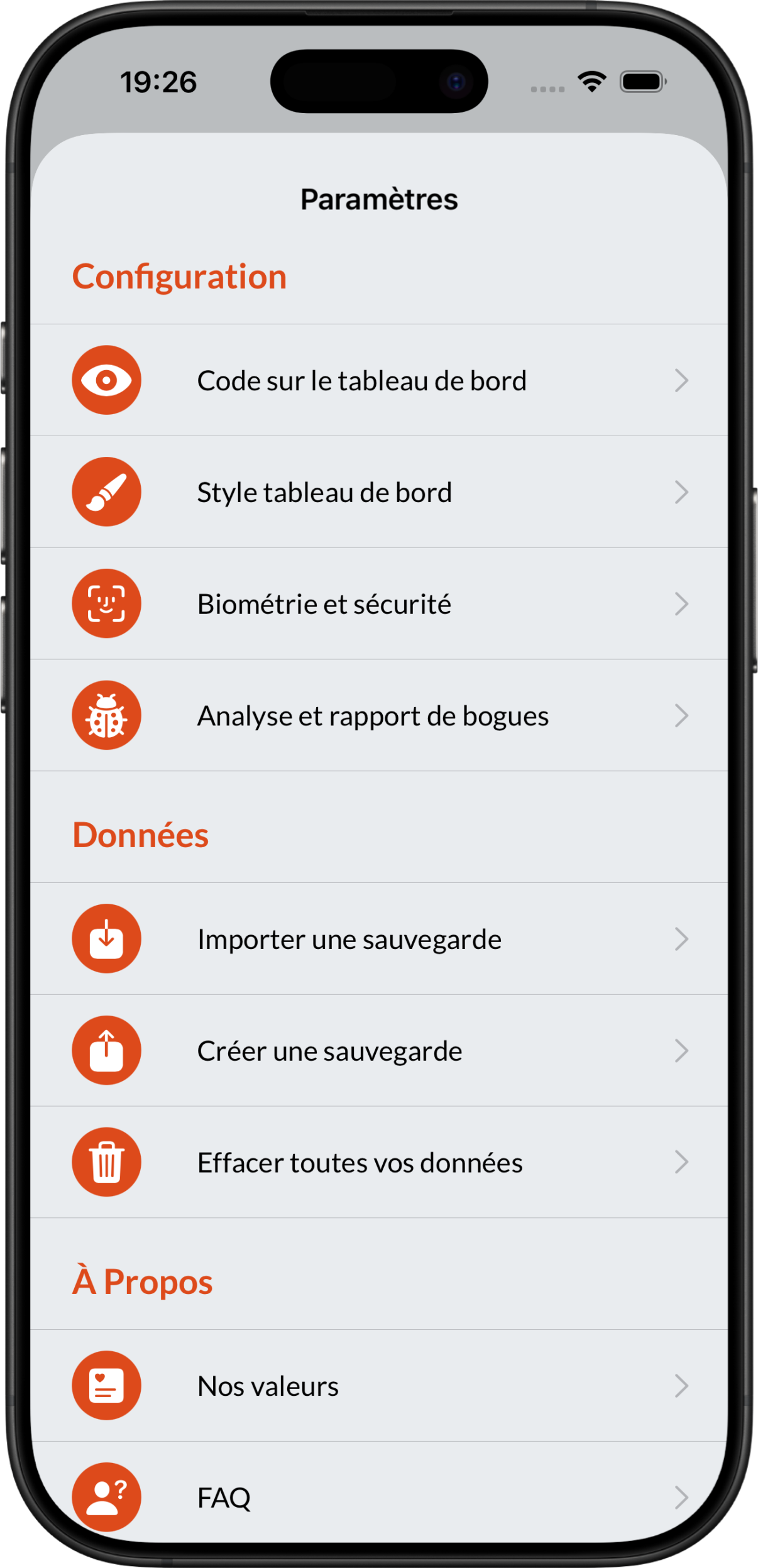
Creating a new backup couldn’t be easier with Brennus OTP. To do so, simply go to Settings > Create a backup.
In this new menu, you will be asked to choose the vaults you want to back up (you can find out more in the section Making partial backups):
 ➡️
➡️
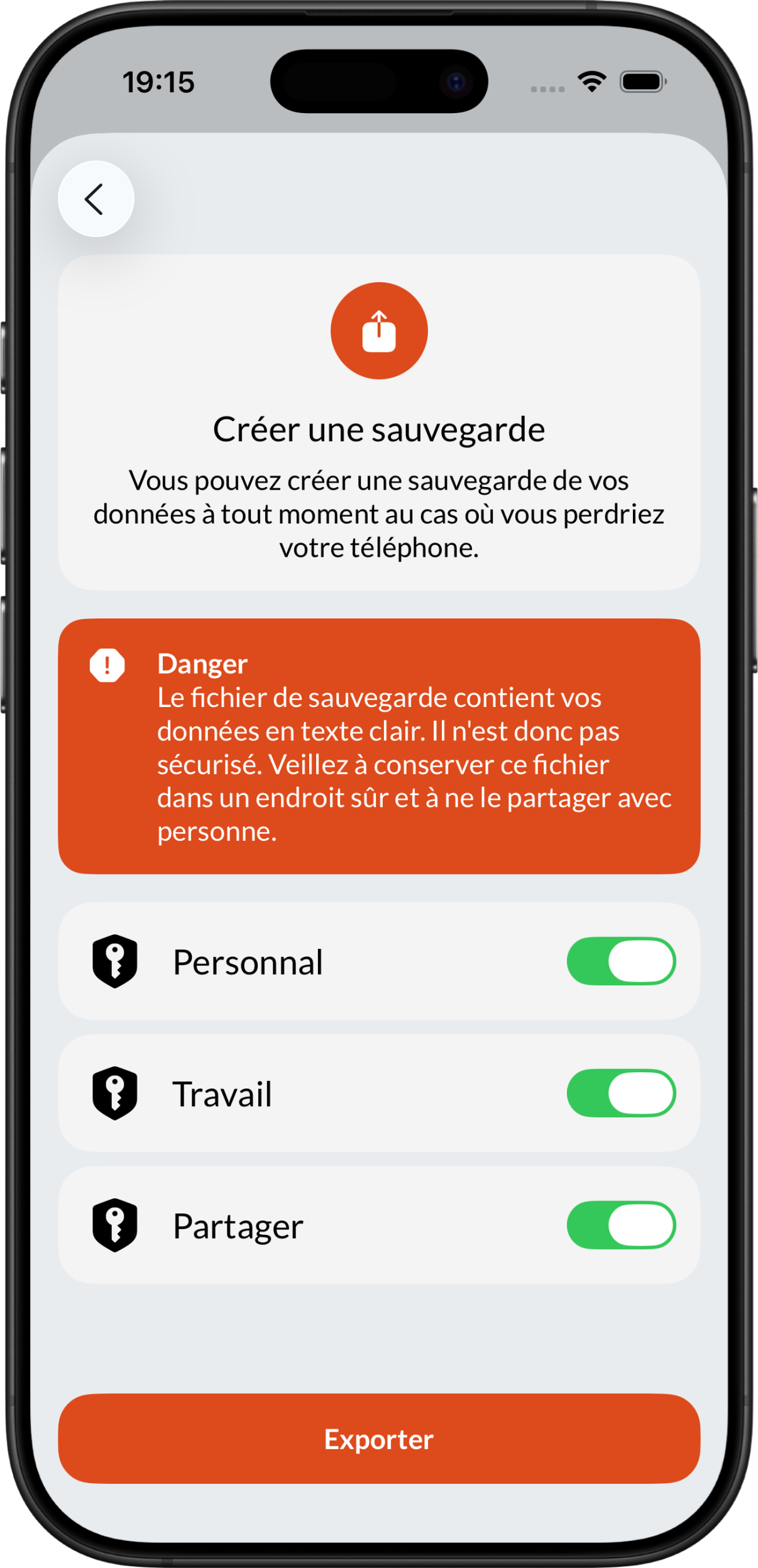
You can then create the backup file by clicking on Export.
Brennus OTP backups are in JSON format and are not password-protected or encrypted. Therefore, if you share these files or if someone manages to obtain them in any way, they will have access to all the codes they contain.
We strongly recommend that you save this file to a secure location that you control (e.g., personal NAS).
You can also encrypt this file using another application such as WinRAR, 7Zip, or VeraCrypt.
Caution
Don’t forget to decrypt your file before using it in Brennus OTP.
You have the option of backing up only a subset of your vaults. This strategy allows you to store your backups in different locations.
For example, if you have a Personal and Work vault, you can back up your personal vault to your personal cloud and back up your work vault to your company’s file management solution.
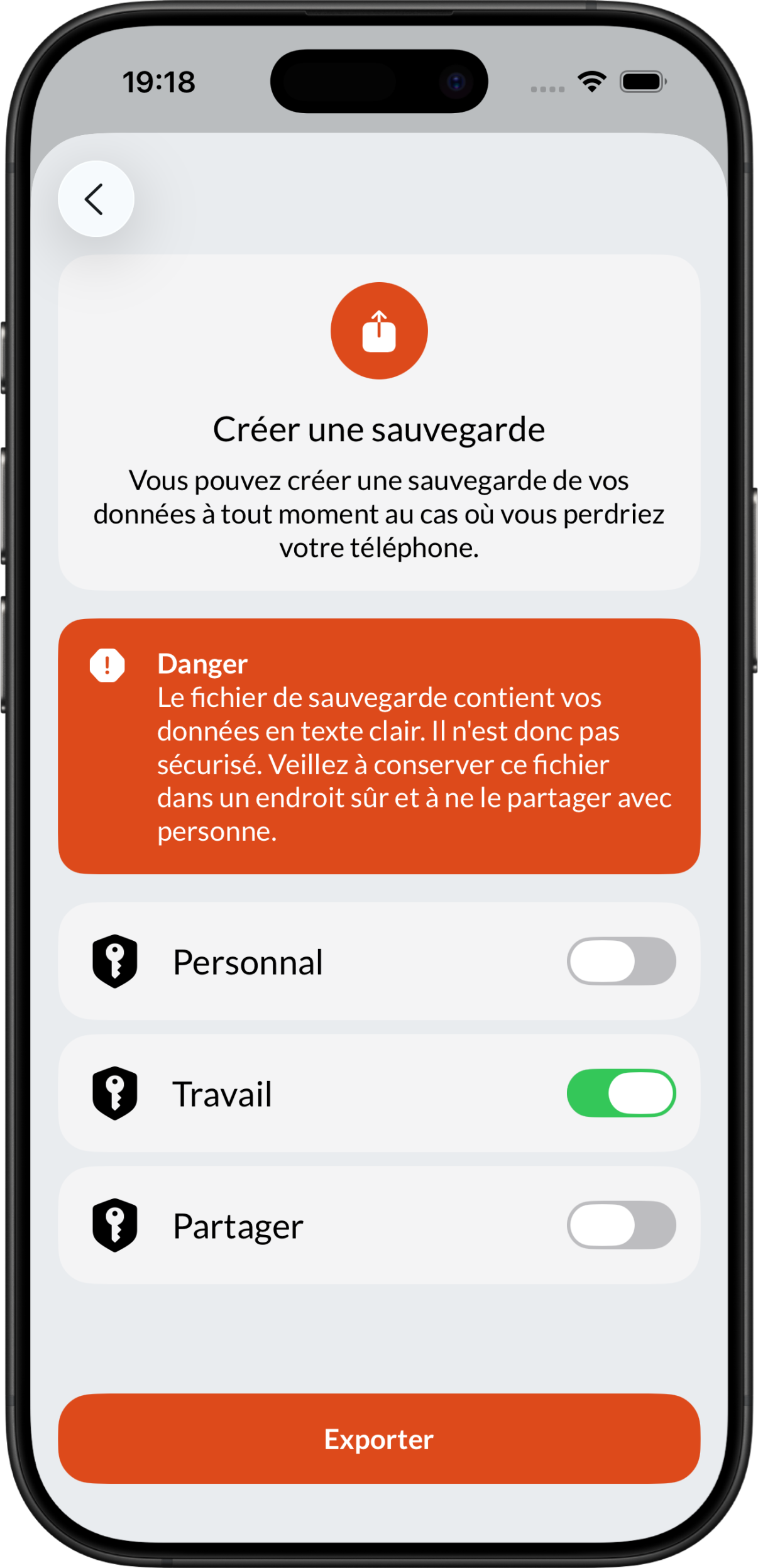
To do this, simply deselect the safes you do not want to back up.
Backups generated by Brennus OTP are only compatible with Brennus applications.
If your Brennus OTP application is unable to load your backup, update your application to support the new format.